What a busy few weeks! Below are the rough notes from our meeting today, please feel free to comment or pass on. Happy Evaluation week, be safe and have a great holiday! Reviewed Schedules We reviewed staff outages and various personnel issues. Everything is quiet right now with a couple of new staff coming on board […]
I apologize to those who read these regularly, I have not had a chance to catch up with all the notes and meetings lately. Please feel free to comment with any questions and have a great wrap up to the fall quarter. Enjoy. Scheduling/Vacations: Reviewed end of the year meetings and schedules. As Tony, Rip, Phil and […]
Hey Everyone, here are the notes from the most recent C&C Leadership meeting on Tuesday. Have fun! Reviewed personnel issues and changes, new hires are now being advertised in Enterprise Applications for a new developer/analyst position and the Manager position within Technical Support Center. For more information on these job announcements, check out Evergreen’s Human […]
To improve the visibility of the work in Computing and Communications, we also will report out monthly on large work products and efforts for the month. This is a small synopsis of much of the work that has been accomplished over the summer. Thanks to all the staff and collaborators for all the hard work. […]
Review Organization workflows and staff changes We discussed at length the long-term idea of bulk purchasing computers out of a central budget once a year to save money and standardize equipment purchases. To do this we will need to do a budget analysis and write up a proposal to put in front of VP’s for […]
The majority of the time today was spent reviewing and revising last years goals and documenting strategic goals for the upcoming year. There is a whole lot of moving parts and critical work going on that are engaging the teams and our continued challenge is to focus on the highest priorities and keeping our projects […]
Beginning Tuesday, August 21, the college will switch to a new campus scheduling system, Schedule Evergreen. This system will make requesting and confirming campus spaces more transparent, provide students with clear and timely class schedules, and make it easier for you to promote events to the campus and the public. What to Expect: Requesting Space: […]
There is so much going on across the college and within C&C it’s hard to track all the details. The Leadership Team meeting that was scheduled for an hour lasted 2 and a bit. We were joined by Brant from Purchasing to discuss some of the big changes that are hitting our customers. Below are […]
As a way to better communicate with the campus, the IT Leadership Team is trying something new; posting our notes here regularly. Please let us know if this is useful! Discuss the open position in Enterprise Apps – Considering opening the vacant position in Enterprise Applications with a lead analyst/programmer position with an ERP focus and […]
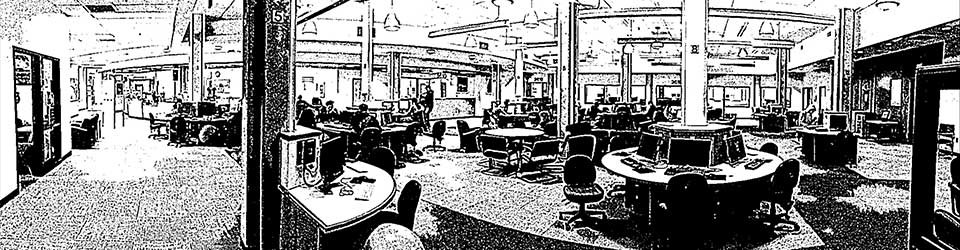
If you have noticed the attractive construction wall at the entrance to the Computer Center and have been wondering what is going on, the Faculty and Staff Help Desk on the first floor will soon be moving into this new space and becoming the new Technology Support Center. Monday March 26th (break week), Mark Holm, Chris Granado […]